Isolate Encrypted Zip Downloads
Encrypted zip files are commonly used by attackers to bypass email security gateways and antivirus scanners that cannot inspect password-protected content. These files often contain malware, ransomware, or phishing documents with the password provided separately to appear legitimate
Defend With SquareX
Create a file download policy to Isolate encrypted ZIP downloads.
Example Policy
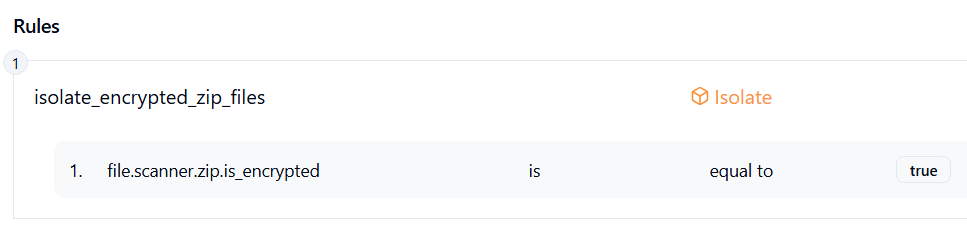
Follow These Steps
- Click on Launch Attack Simulation button
- With SQRX enabled, file download will get blocked.
Details
Attackers frequently use encrypted ZIP archives as a way to sneak malicious content past email security gateways, endpoint defenses, or cloud storage filters. Since the contents are password-protected, automated scanners cannot inspect them for malware. The attacker typically provides the password in the same email, on a phishing page, or through a seemingly legitimate channel to trick the user into extracting the files. Once opened, the archive often contains ransomware, remote access trojans, or phishing documents disguised as business files.
Impact
Encrypted ZIP file attacks can severely harm victims by bypassing traditional defenses and delivering hidden threats. Once opened, they can lead to stolen sensitive data, ransomware lockouts, and major business disruption. Because these files evade inspection, they often delay detection, giving attackers more time to spread and amplify damage.
This can lead to:
- Data breaches and sensitive information loss
- Ransomware-induced downtime and financial costs
- Delayed detection leading to wider compromise
Indicator of Compromise (IOC)
- Inbound emails or downloads containing password-protected ZIP files, especially with the password in the same communication.
- Unexpected encrypted archives shared through corporate communication channels or cloud storage.
- Multiple users receiving identical encrypted ZIP attachments from external senders.
- Security tool alerts on password-protected files bypassing standard inspection.