Block Reused Passwords
Password reuse across multiple sites creates a domino effect where one breached service compromises all accounts using the same credentials. Attackers use credential stuffing attacks with leaked password databases to gain unauthorized access across multiple platforms.
Defend With SquareX
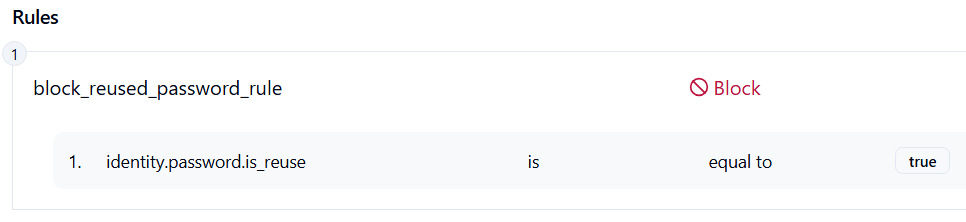
Create an identity policy to Block reused passwords.
Affected Companies:



Roku
Snowflake
23Andme
Example Policy
Follow These Steps
- Open facebook.com and try logging in using password.
- Click on Launch Attack Simulation button and try logging in using the same password used for facebook.com
- With SQRX enabled, login will get blocked on instagram.com
Details
Attackers take username–password pairs leaked from other sites and spray/stuff them against your login endpoints using automation, residential proxies, and headless browsers. If any employee or customer reused a password, the attacker gets in, mints a session, and pivots (password resets, MFA enrollment changes, inbox rules, API keys). Blocking reused/compromised passwords at login and monitoring password-based auth helps stop these attempts in real time.
Impact
Successful credential reuse leads to account takeover, data theft (files, mail, cloud consoles), fraud/financial loss (invoice tampering, ad spend, gift cards), service abuse (spam/phish sent from our domain), operational disruption (lockouts, forced resets, support floods), and regulatory/compliance exposure from unauthorized access and exfiltration—plus incident-response costs and reputational damage.
Indicator of Compromise (IOC)
- Accounts successfully accessed with passwords found in breach databases.
- Logins from atypical locations/devices that don’t align with user history.
- Legitimate accounts showing immediate suspicious activity after successful login, including changed passwords, modified settings or unauthorized file access