Block Google SSO
Unauthorized Google SSO usage allows personal Google accounts to access corporate applications, creating shadow IT risks and potential data leakage to unmanaged accounts. Attackers can also exploit compromised Google accounts to gain broad access across multiple integrated services.
Defend With SquareX
Create an identity policy to Block Google SSO.



Example Policy
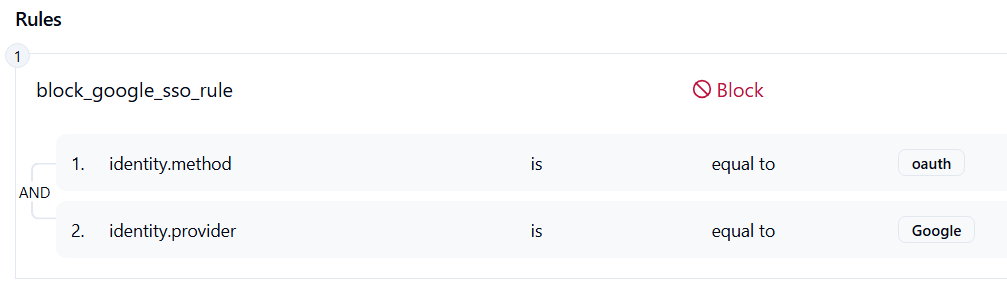
Follow These Steps
- Click on Launch Attack Simulation button
- Click on Sign in with google
- With SQRX enabled, Authorization will get blocked
Details
When multiple login methods (e.g., vendor-specific SSO portals, unmanaged identity providers) are allowed, attackers can exploit weaker authentication paths to bypass enterprise security policies. These alternate methods may not enforce MFA, conditional access, or logging in the same way as the primary identity provider. By restricting all authentications to a single approved SSO, organizations close these gaps and ensure that every login follows the same security workflow.
Impact
If login methods are not restricted, users and attackers alike can leverage unmanaged or less-secure portals to gain access. This increases the risk of account takeover, inconsistent MFA enforcement, and shadow access to corporate apps. Compromised credentials from phishing or credential stuffing attacks can be used more effectively when weaker login paths remain open. The result is reduced visibility for security teams, higher chances of lateral movement, and greater data leakage risk.
Indicator of Compromise (IOC)
– Authentication attempts from unexpected login portals or identity providers outside the approved one.
– Repeated failed logins against blocked/legacy SSO endpoints.
– Anomalies in session logs showing bypass of MFA or conditional access policies.
– Discovery of active user sessions established via alternate SSO paths not sanctioned by policy.